Data access infrastructure over the database you already run
Your data[base], exposed as APIs and MCP tools — with zero code.
Identities included, scoped to your agents.
Point Minimal at Postgres, MySQL, ClickHouse or a CSV — +12 more. The schema becomes endpoints. Endpoints become an MCP server. MCP becomes identity-scoped tools. Tools become agents that act on it.
Opens the live product — sign up and test every claim on this page against your own data.
One table, one team, start to finish
nyc_911_calls, from row to agent.
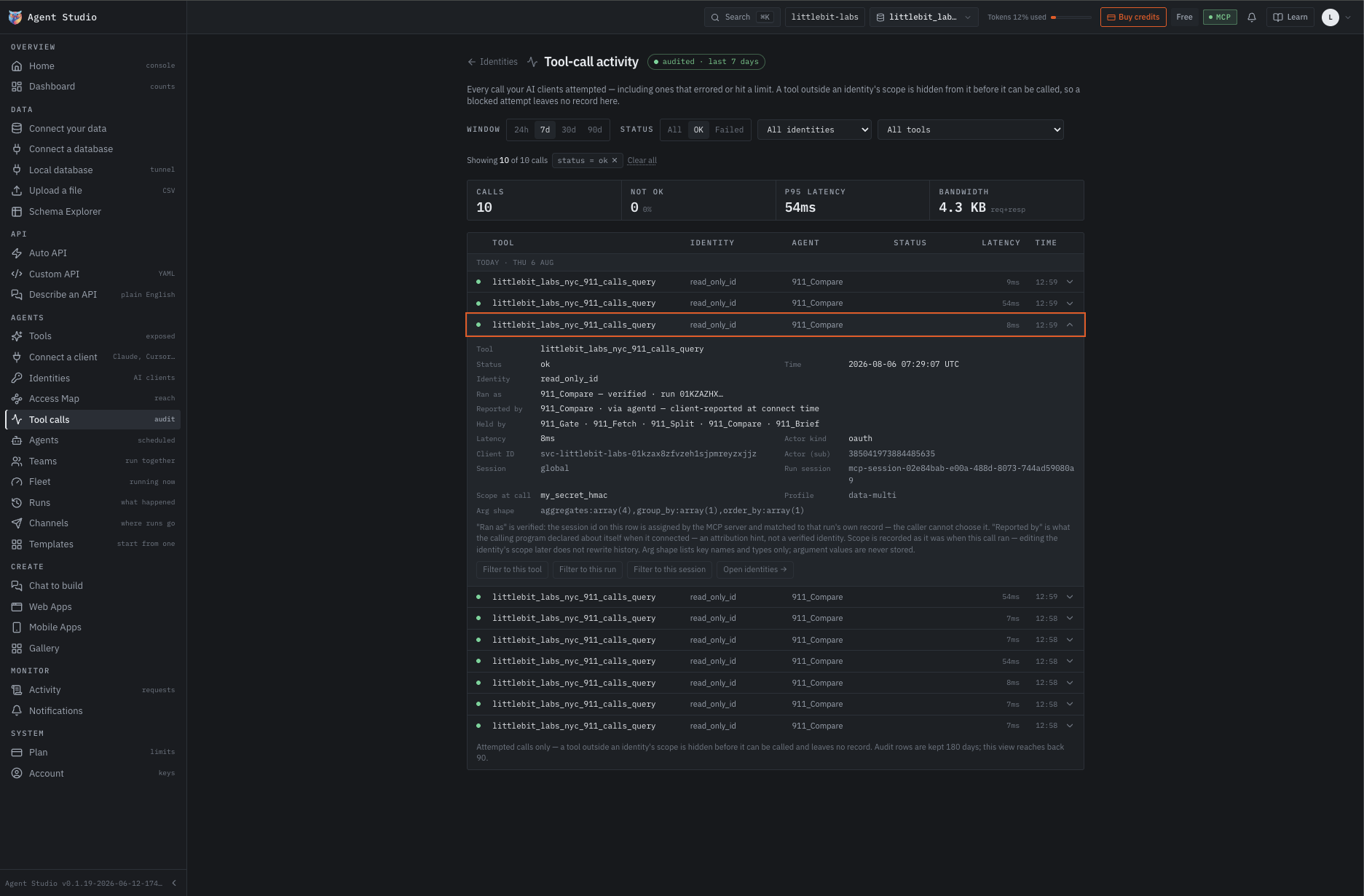
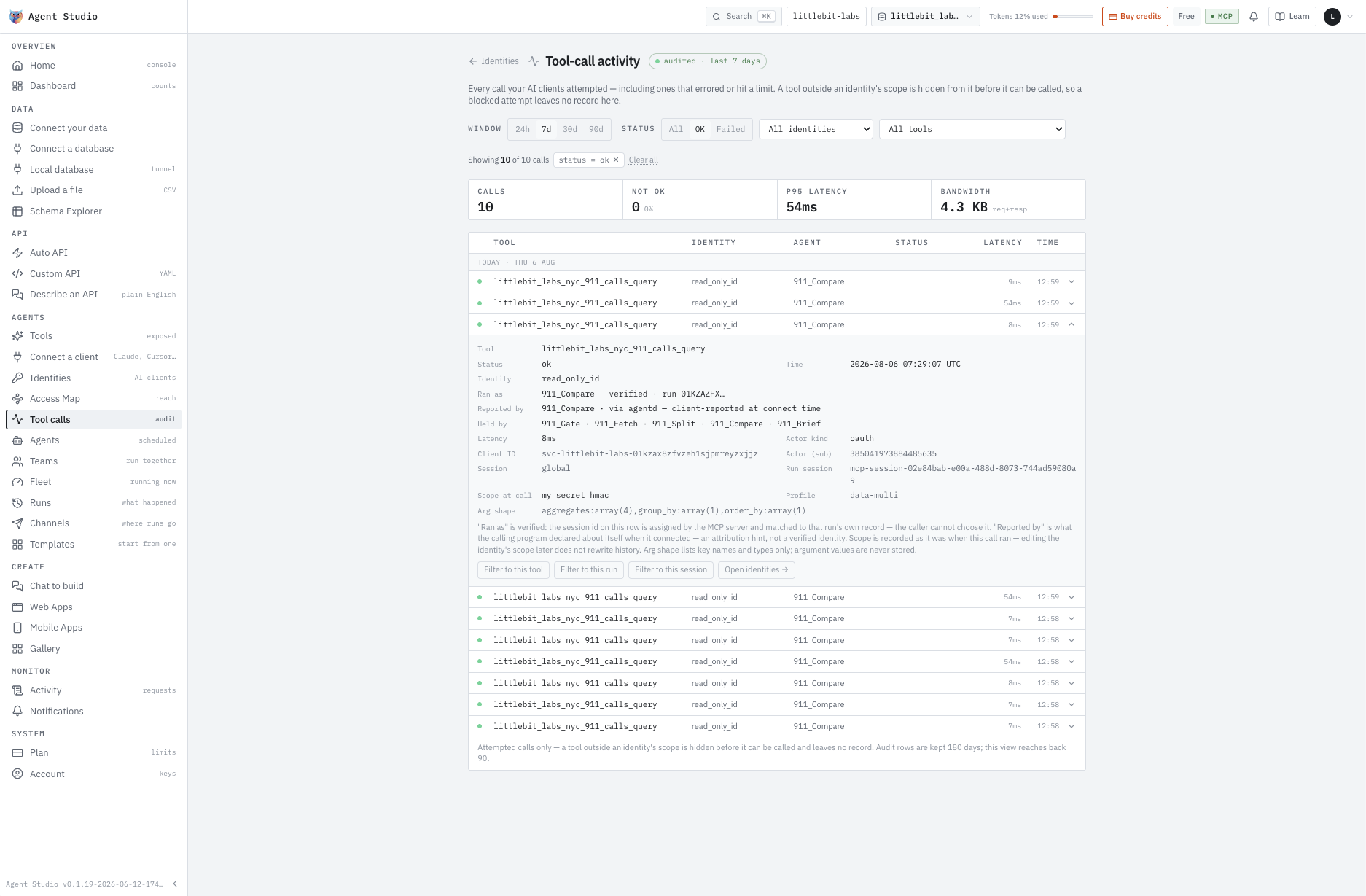
A public dataset of New York City dispatch times, connected exactly as it is. Then five agents on that one table, running in order — each built the same way: a name, the job written in English, one tool granted, an identity attached.
Nothing copied, nothing migrated, no schema rewritten to suit us. The endpoints are there because the table is.
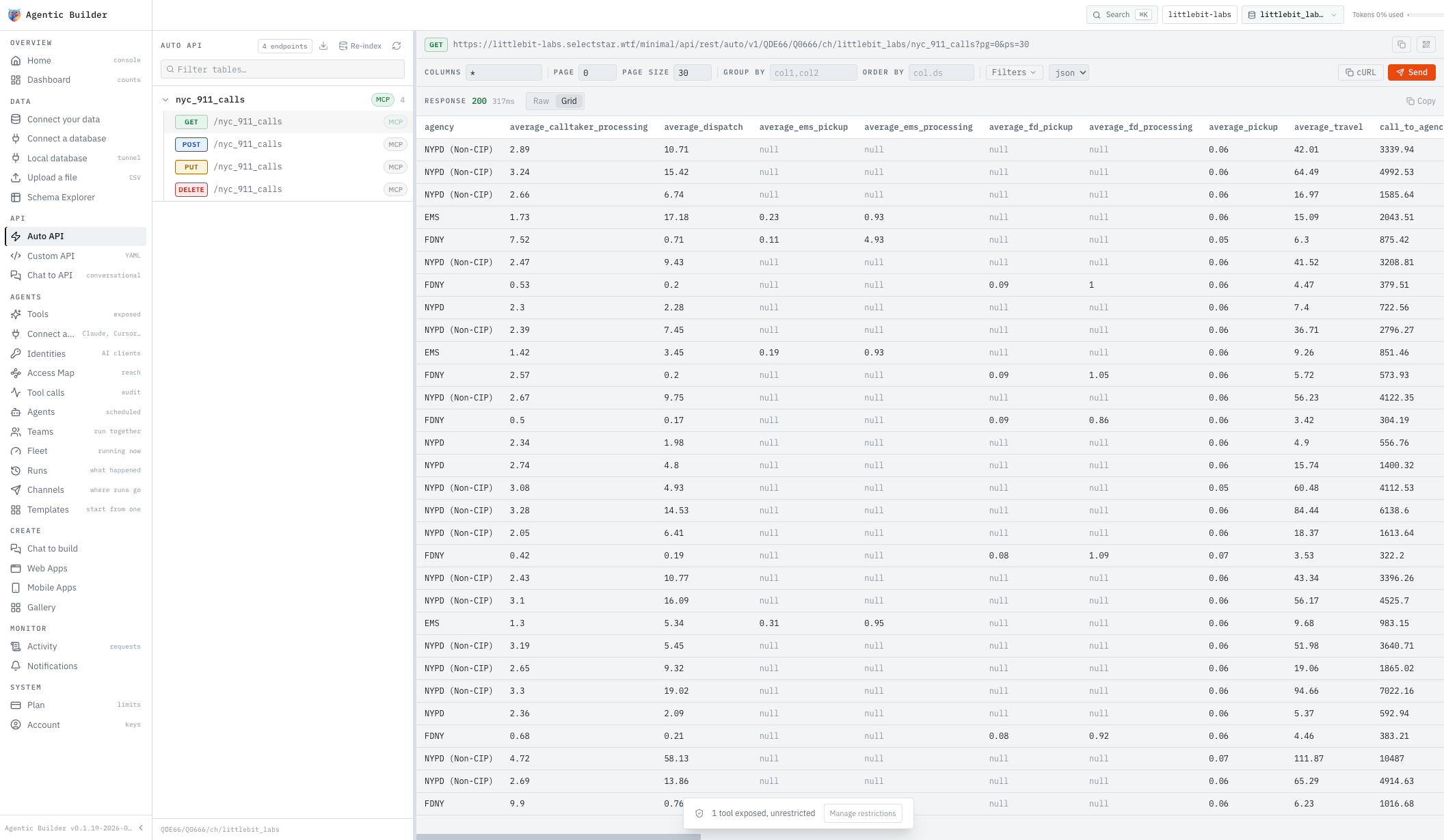
Nobody wrote this endpoint. Click run and feel that for yourself.
A name, the job in English, the one tool it may call, and the schedule. This one summarises response time by agency every Monday at 00:00 UTC and flags any agency more than 10% off its own last week.
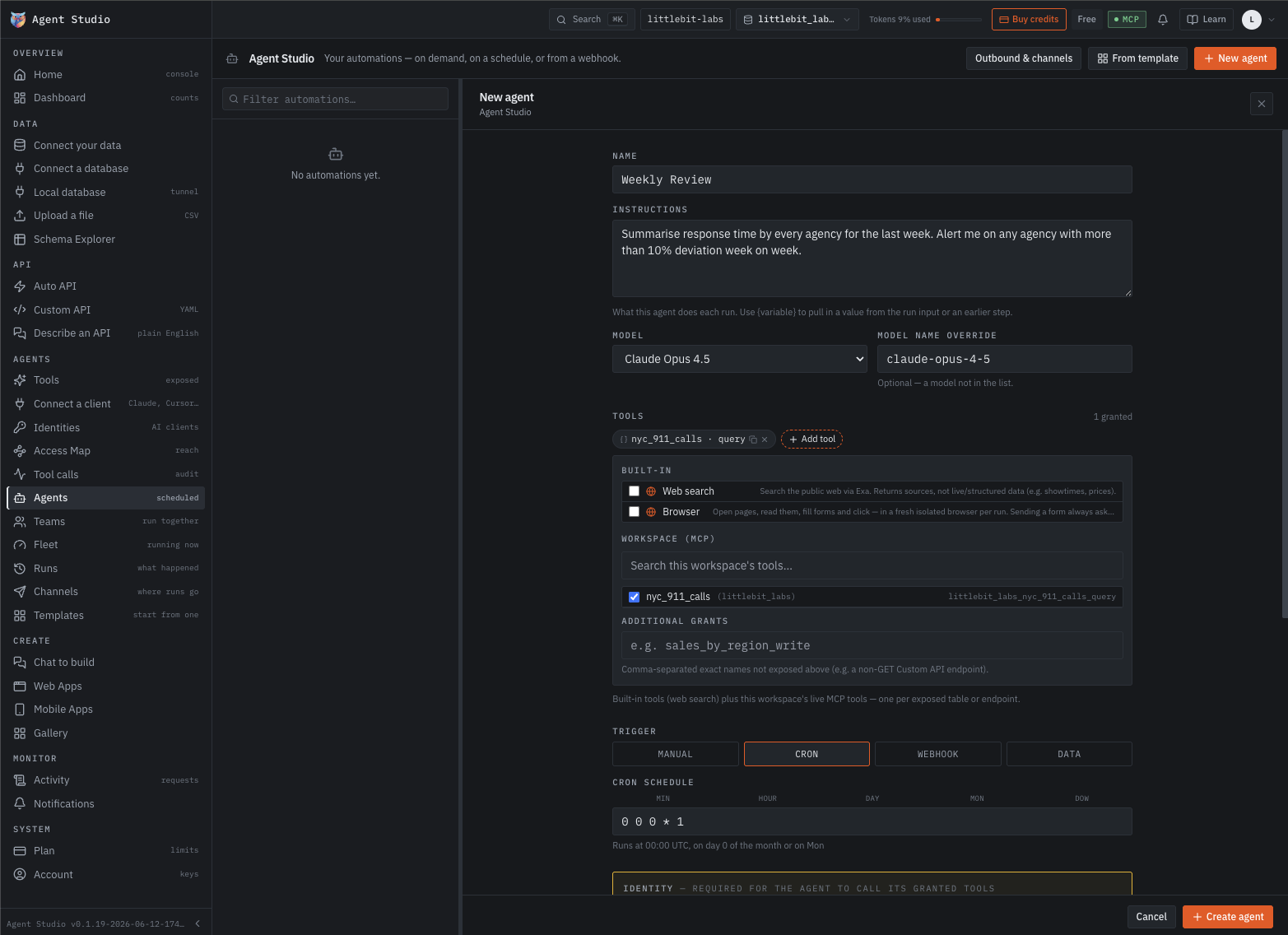
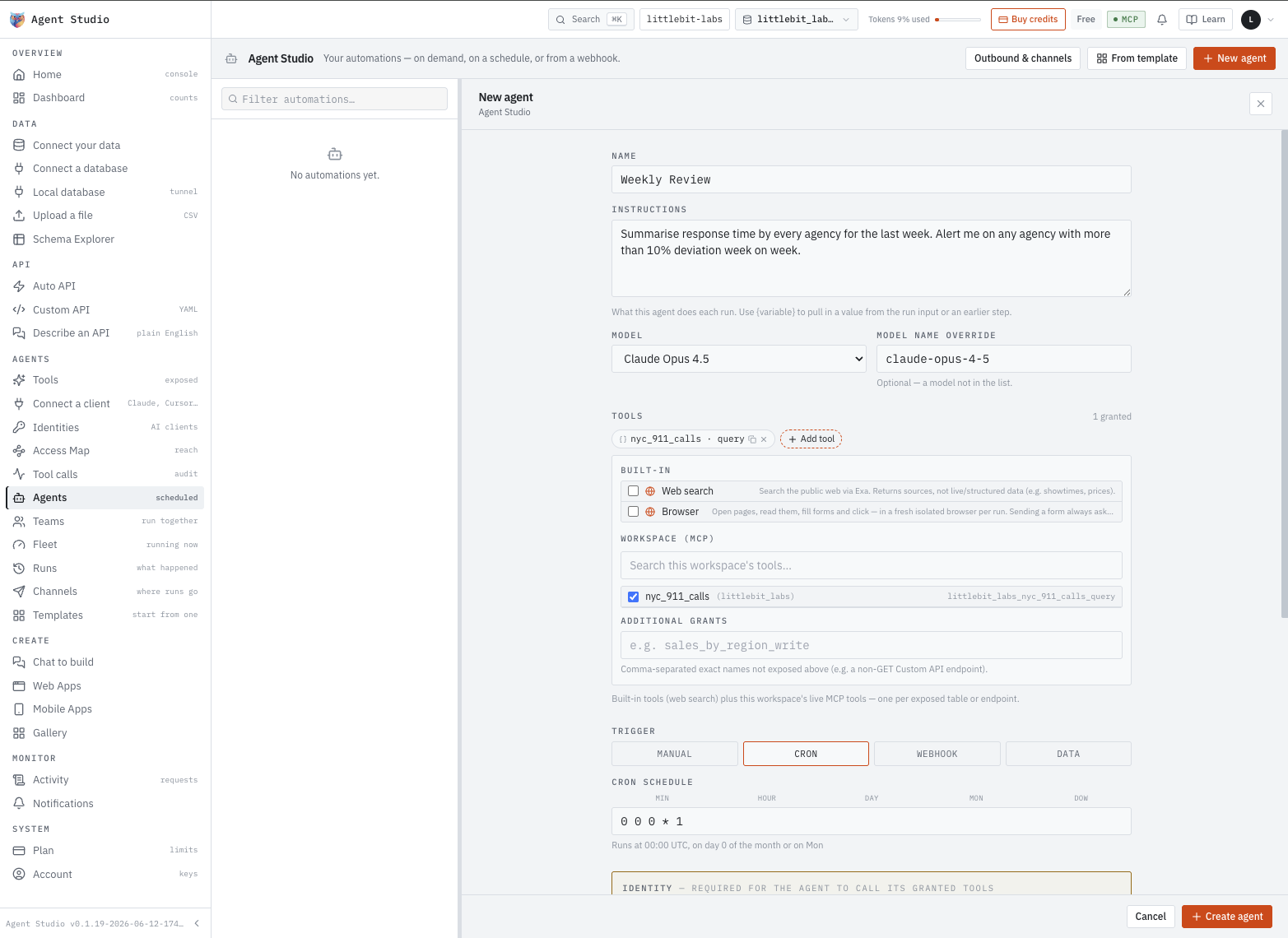
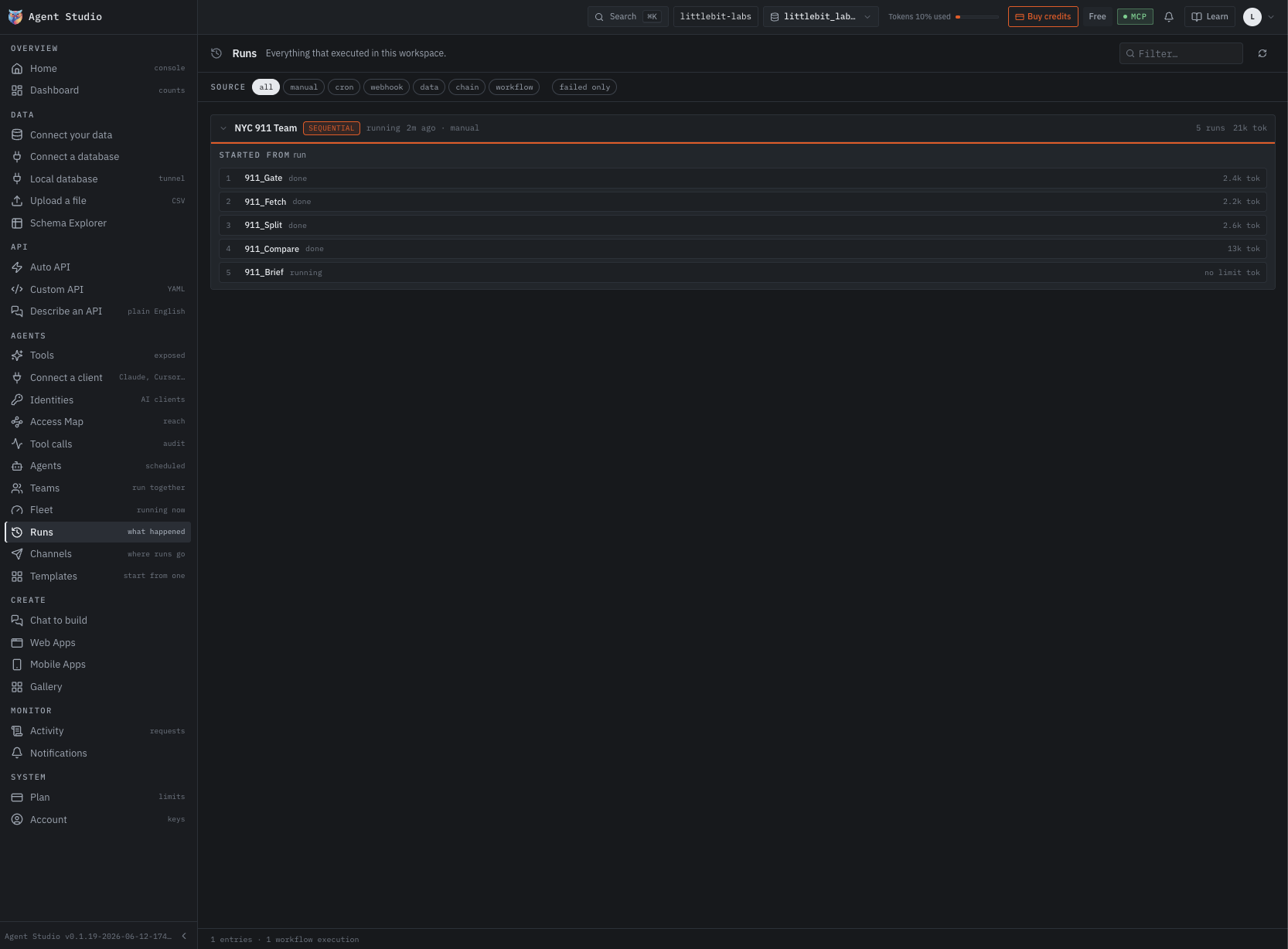
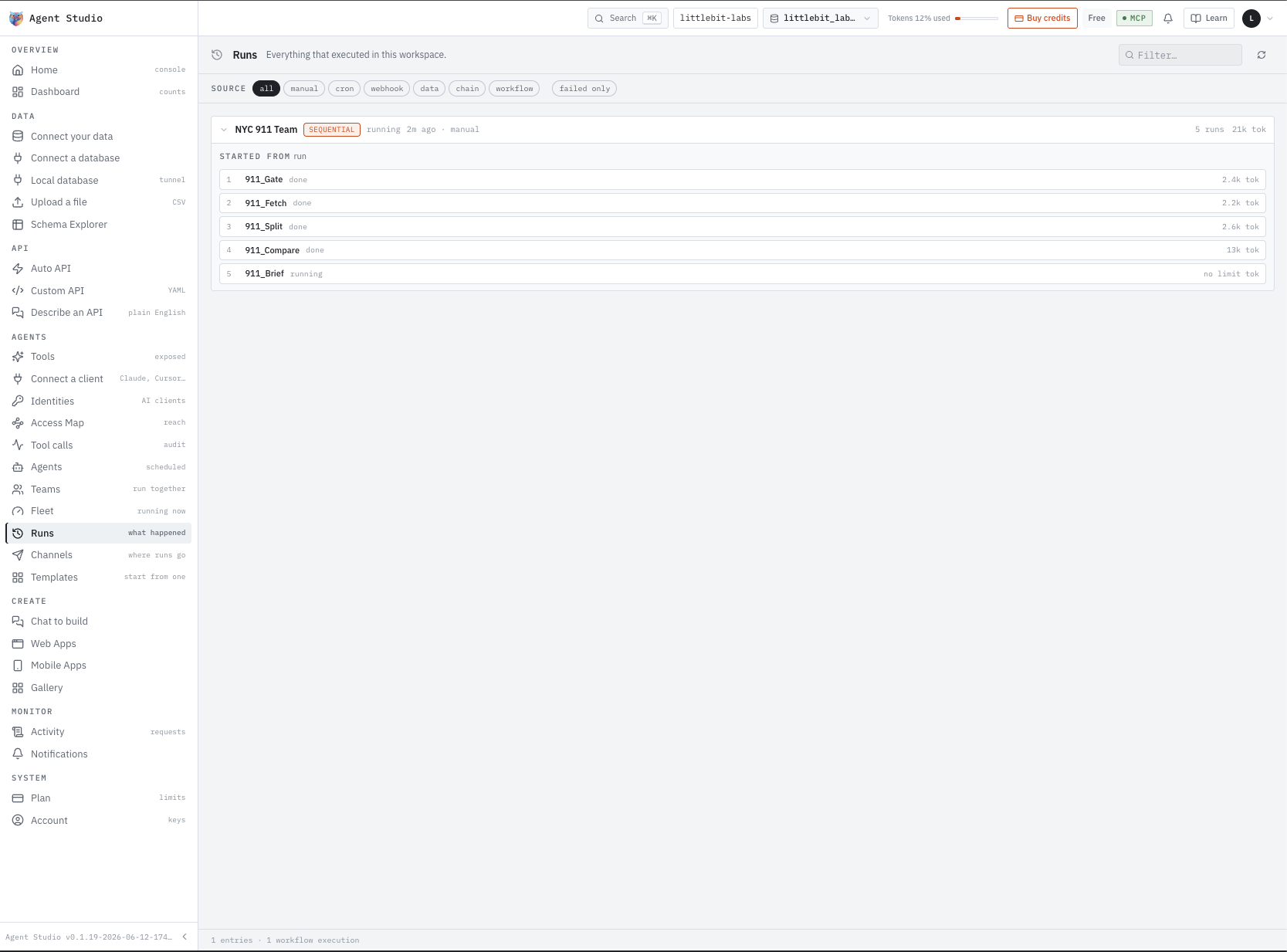
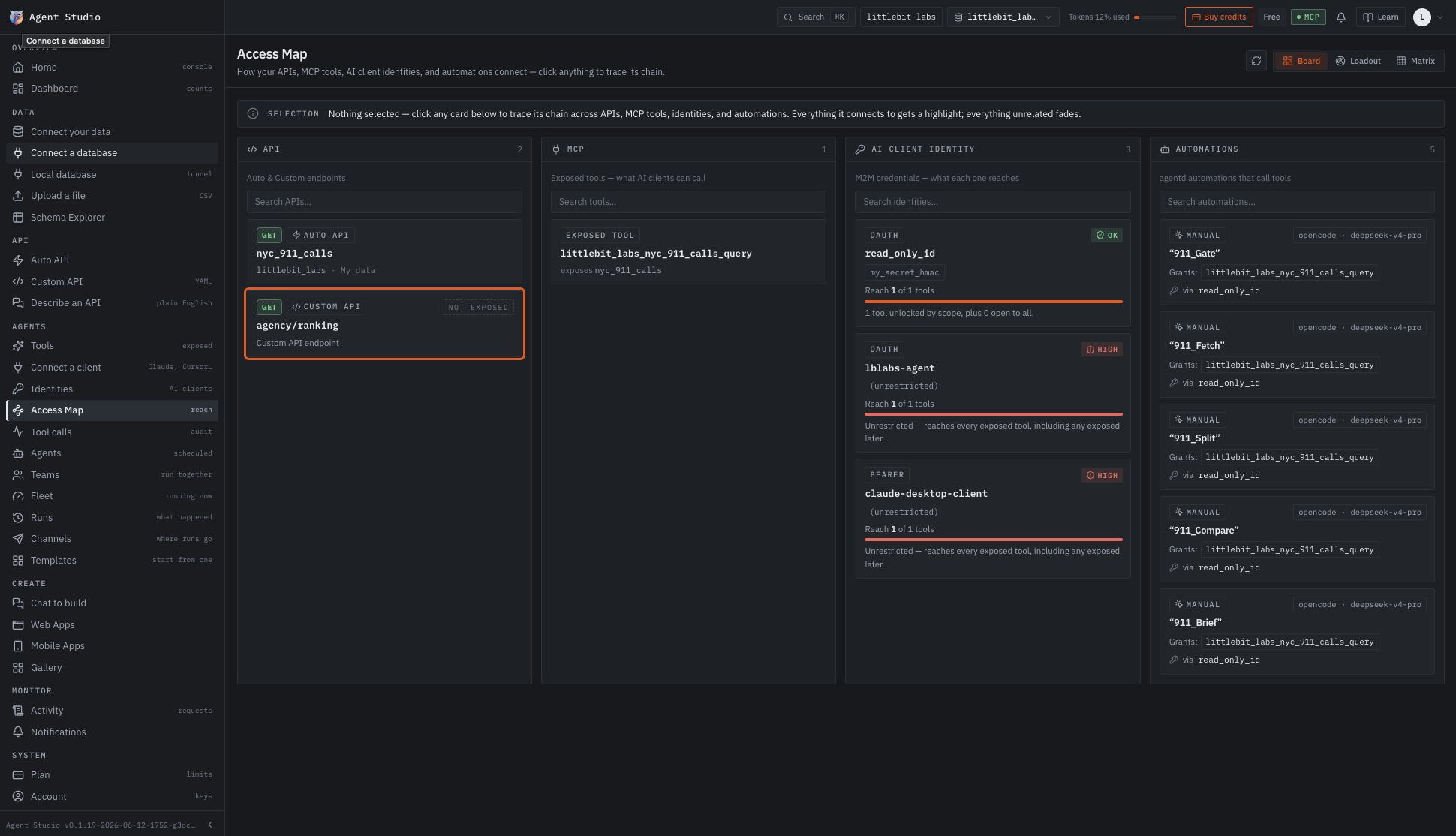
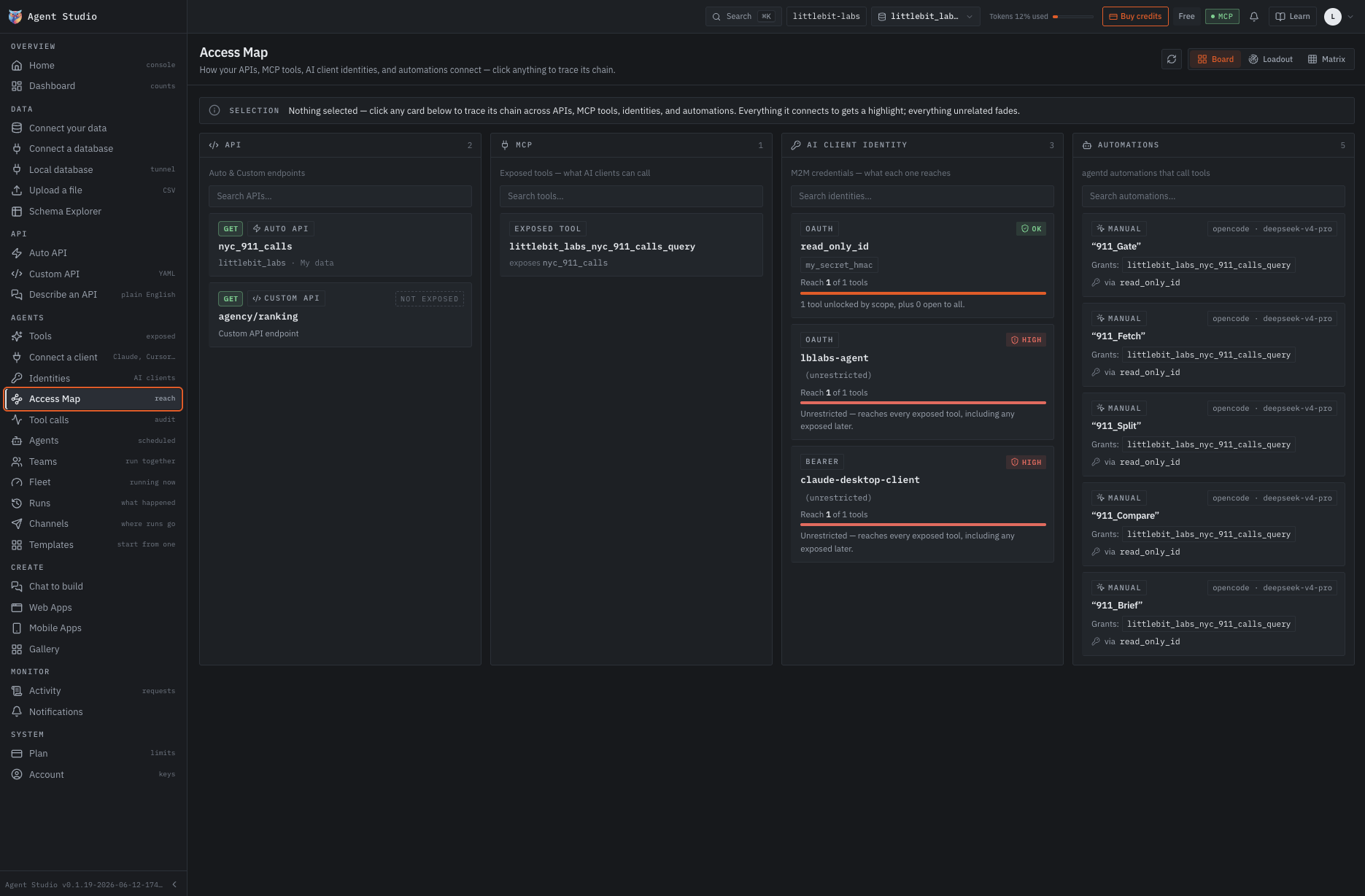
nyc_911_calls · query, a GET. The rest of the MCP server is out of reach, and the agent has no write to find. The identity is what turns that from a setting into a rule.911_Gate, 911_Fetch, 911_Split, 911_Compare, 911_Brief — a team rather than one agent, sequential, so each starts on what the last returned.
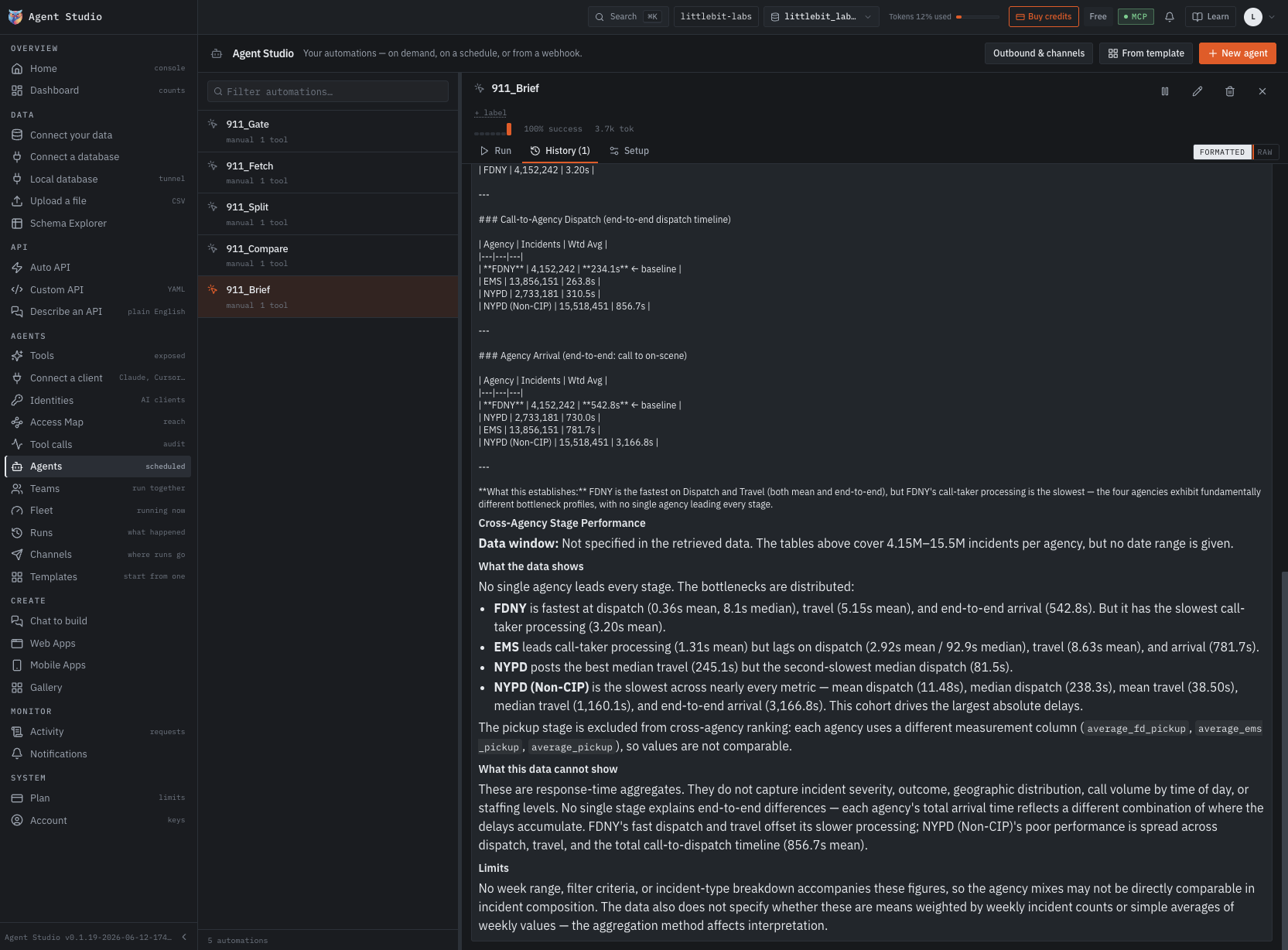
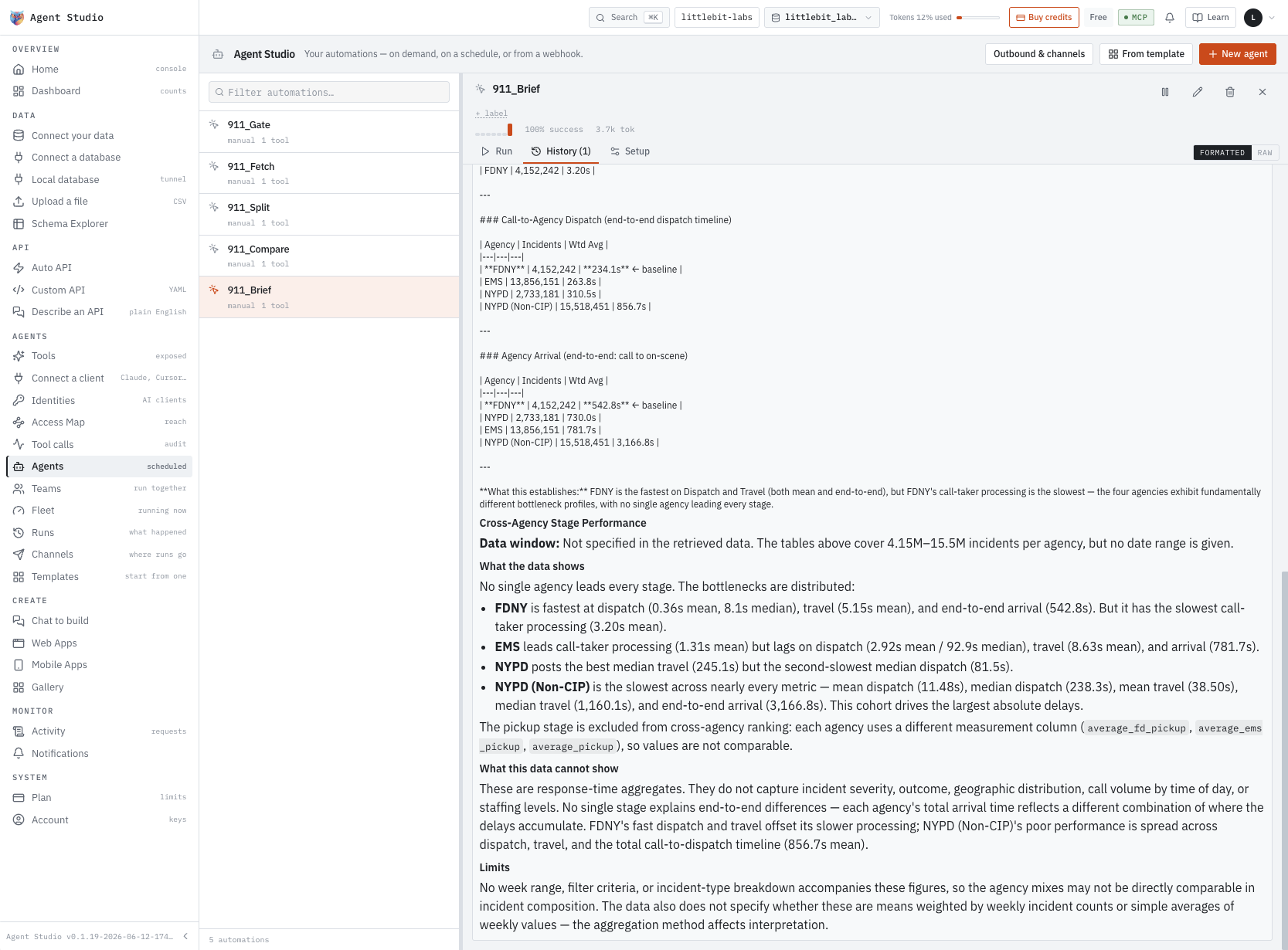
911_Brief’s output, kept on its run record and readable formatted or raw.
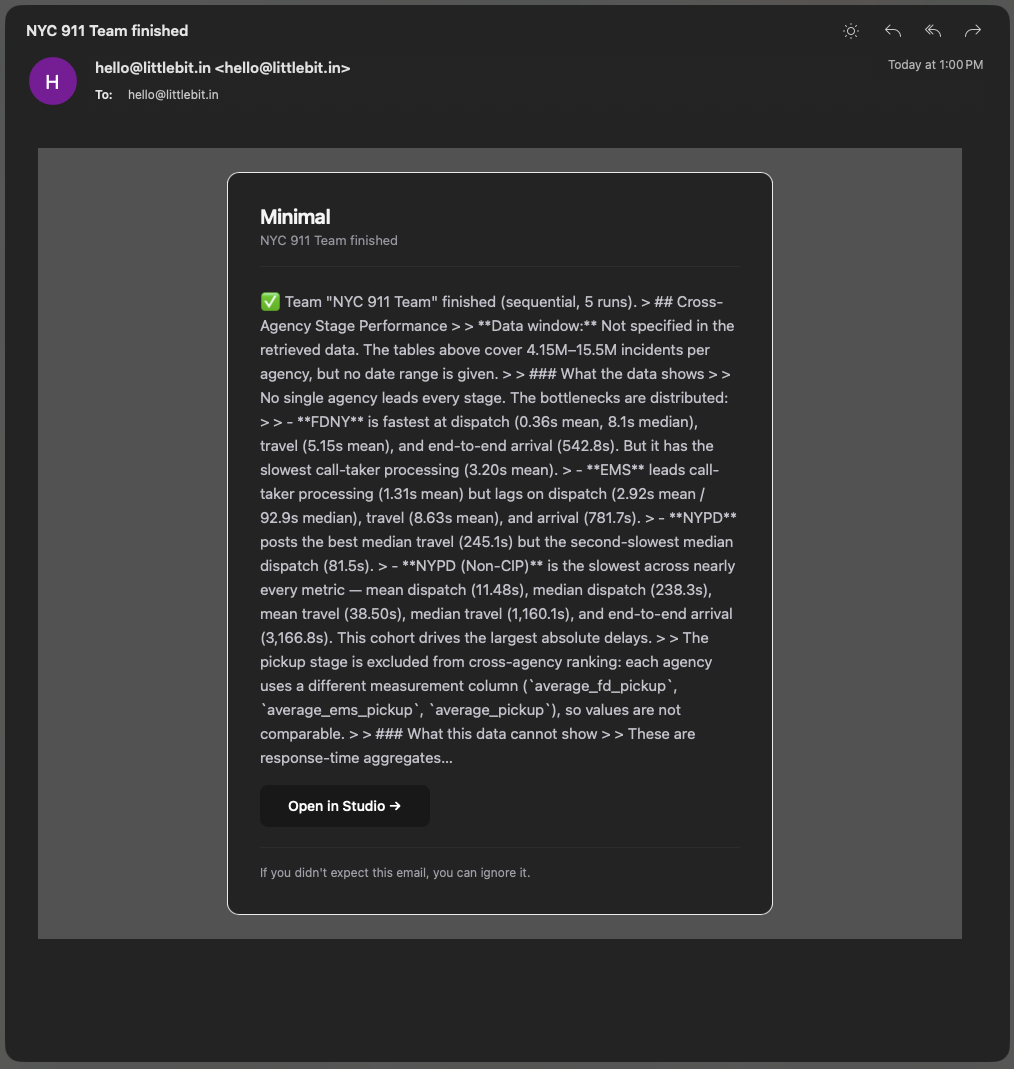
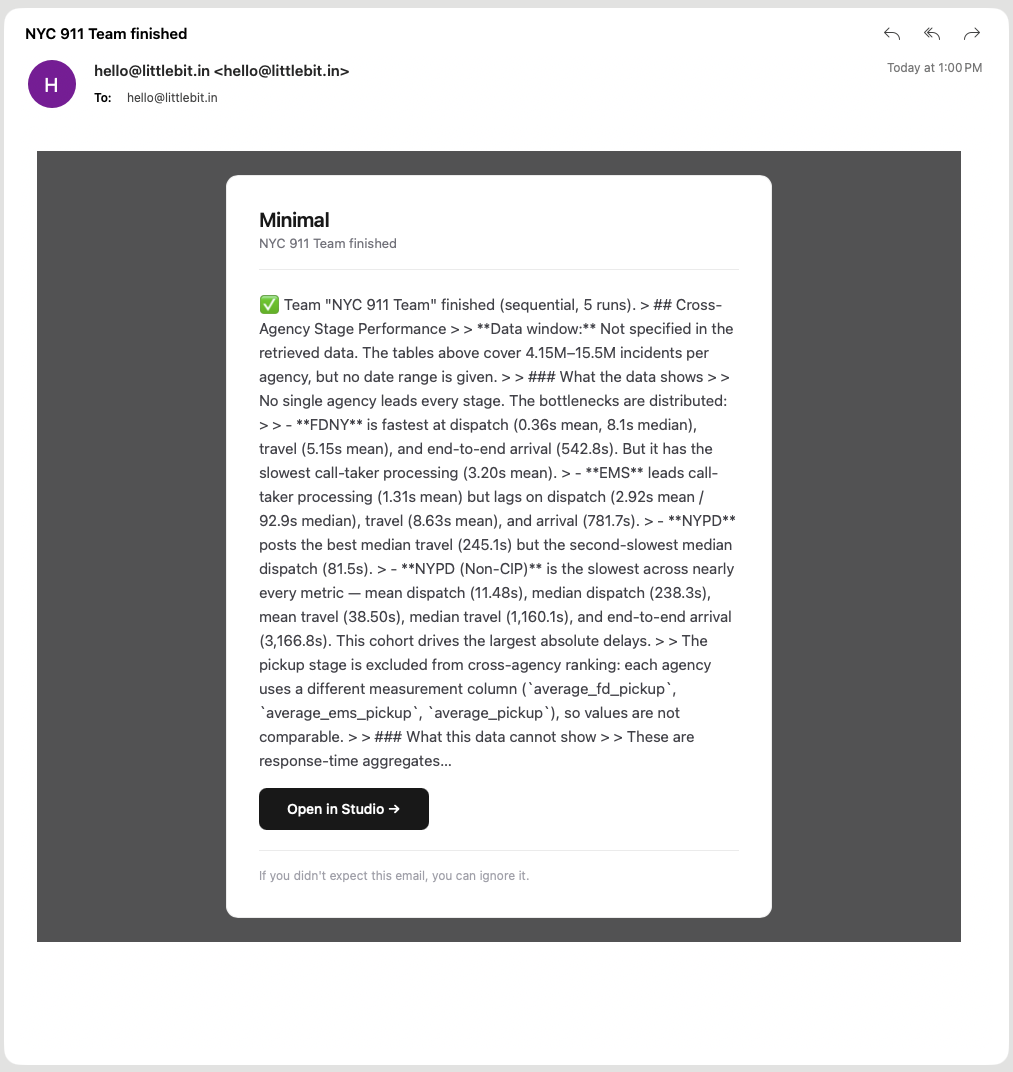
The team’s result, delivered on the channel you registered.
The whole path
Five steps. None of them are code.
Your Data
CSV, Parquet, XLS, JSON or NDJSON, imported as tables the moment they land. Or connect Postgres, MySQL, ClickHouse, MariaDB and 11 more — 15 databases, cloud or local, every table, view and materialized view recognized and ready to expose.
APIs
CRUD APIs — create, read, update, delete — ready in five seconds. Zero code, zero effort. For business-logic-rich APIs, describe them in chat and have them done in under five minutes — just English. Or write the Custom API yourself: code is an option here, not a requirement.
MCP
The standard way an AI assistant reaches a tool it is allowed to use — and you get your own MCP server out of the box. Choose exactly which tables and APIs to expose, then connect Claude, ChatGPT or Codex with OAuth. The AI sees only what you expose — nothing else on the server.
Identity
Roles and identities for your MCP server, defined in the UI. Assign what they can do and what they can’t — visually, with no policy files to write. Every action is permissioned.
Agents
Create agents to get any job done: answer your customers from a knowledge bank, run periodic tasks for you, and alert you the moment a number moves out of the range you set.
When the schema changes. Add a column on Monday and the endpoints follow it. They are generated from the schema itself, not from a copy taken the day you connected — re-read the source and the new column reaches the API, the MCP tool and everything built on them. Nothing about the old shape is removed by the addition, so existing consumers keep working.
What’s never lost. Every call through APIs, MCP, agents and Custom API is logged, with traces exportable to any OpenTelemetry collector on self-hosted — Jaeger included. Every change to an org, project, Custom API, module or space is versioned, so an admin can roll back a dangerous one with a click. Built for endurance.
What you can’t do. Authentication for your own users, third-party integrations, and logic that has nothing to do with your database. That work stays yours to build, manage and maintain.
Works with what you already run.
Minimal is data access infrastructure over a database you already run.
Nothing to dump, nothing to migrate — point it at your database and keep working.
AI tools that connect to your MCP server
All eight tested against a live server. MCP is an open standard — anything that speaks it connects over OAuth.
Models your agents run on
Anthropic, OpenAI and Google built in; the open models — GLM-5 and HY3 among them — arrive through OpenCode GO.
Pick what you want at the end.
All four products start the same way: point Minimal at the database you already run, and it generates the APIs, MCP tools and permissions underneath. They differ in what you get at the end.
The job runs without you now.
For the job someone runs by hand on a schedule — check the new rows, chase the failures, file the summary. Fill in a form — name, schedule, instructions — and it runs itself in under 30 minutes, dropped over the infrastructure you already run. Nothing in your stack changes.
- Runs under an Identity you scope: permission roles decide what it may touch.
- Every API, MCP tool, identity and agent on one access map.
- Every job it runs, audit-logged in full.
The tool everyone wanted is on their screens.
For the tool your team keeps asking for and nobody has time to build. Describe the screens in English — the same pipeline that generated your APIs, 30x faster than writing them, builds the app on top. Your product and deployment stay where they are.
- Desktop, web, PWA and native mobile from one description.
- Keep your editor: Claude, Cursor, VS Code, Codex, Windsurf, Cline and Gemini connect to the same layer.
- Every artifact versioned — the last known good state is clicks away.
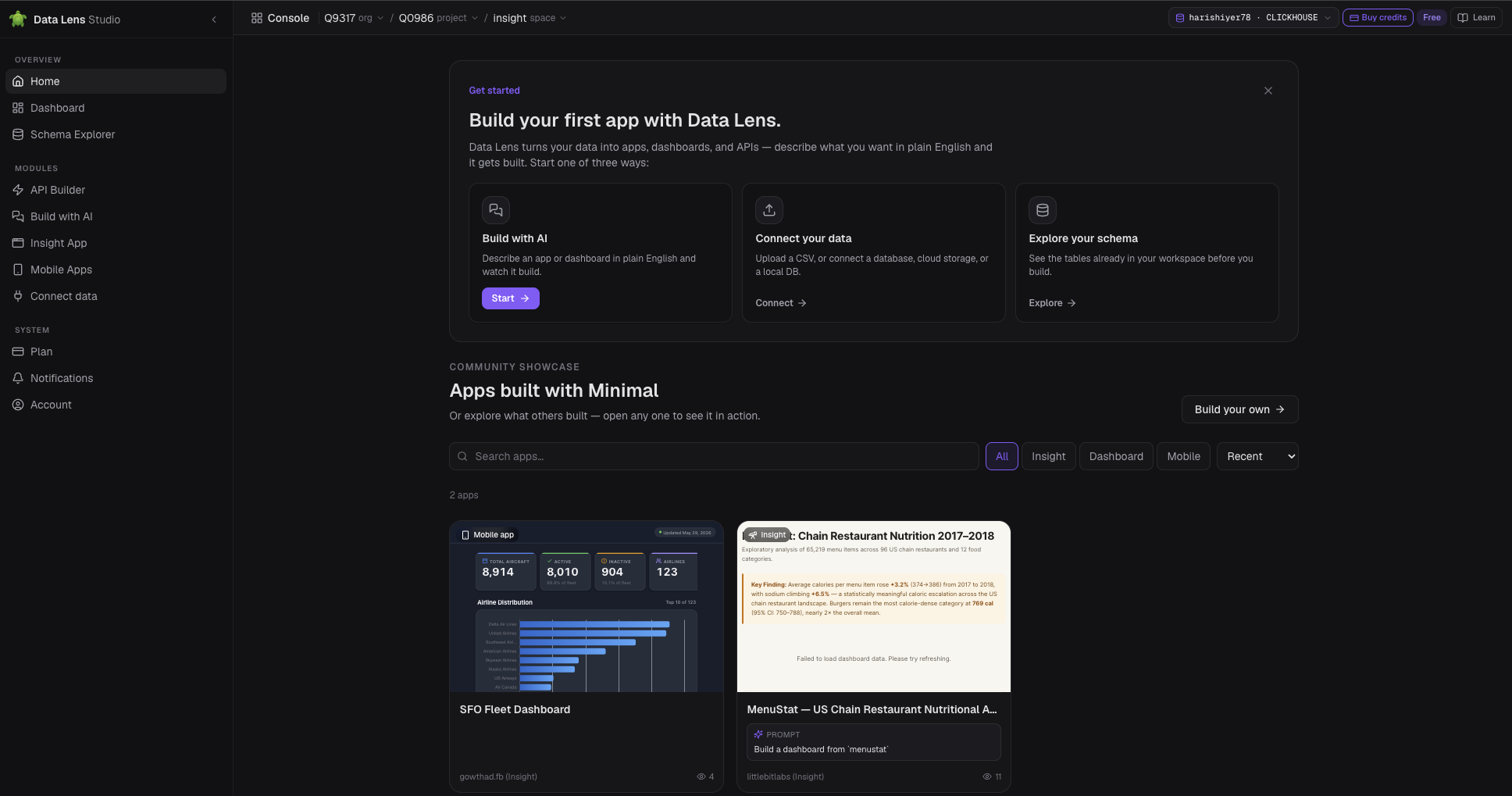
This week's numbers, already answered.
For the numbers someone asks you for every week. Ask your live ClickHouse or Postgres in English; the answer is a chart that keeps answering as the data moves — nothing extracted, nothing copied.
- Ask in English, pick a persona, get the charts that fit.
- Or start from a flat file: it arrives as indexed warehouse storage, ready for questions.
- Bring your own AI — connect your Claude, OpenAI or Gemini account.
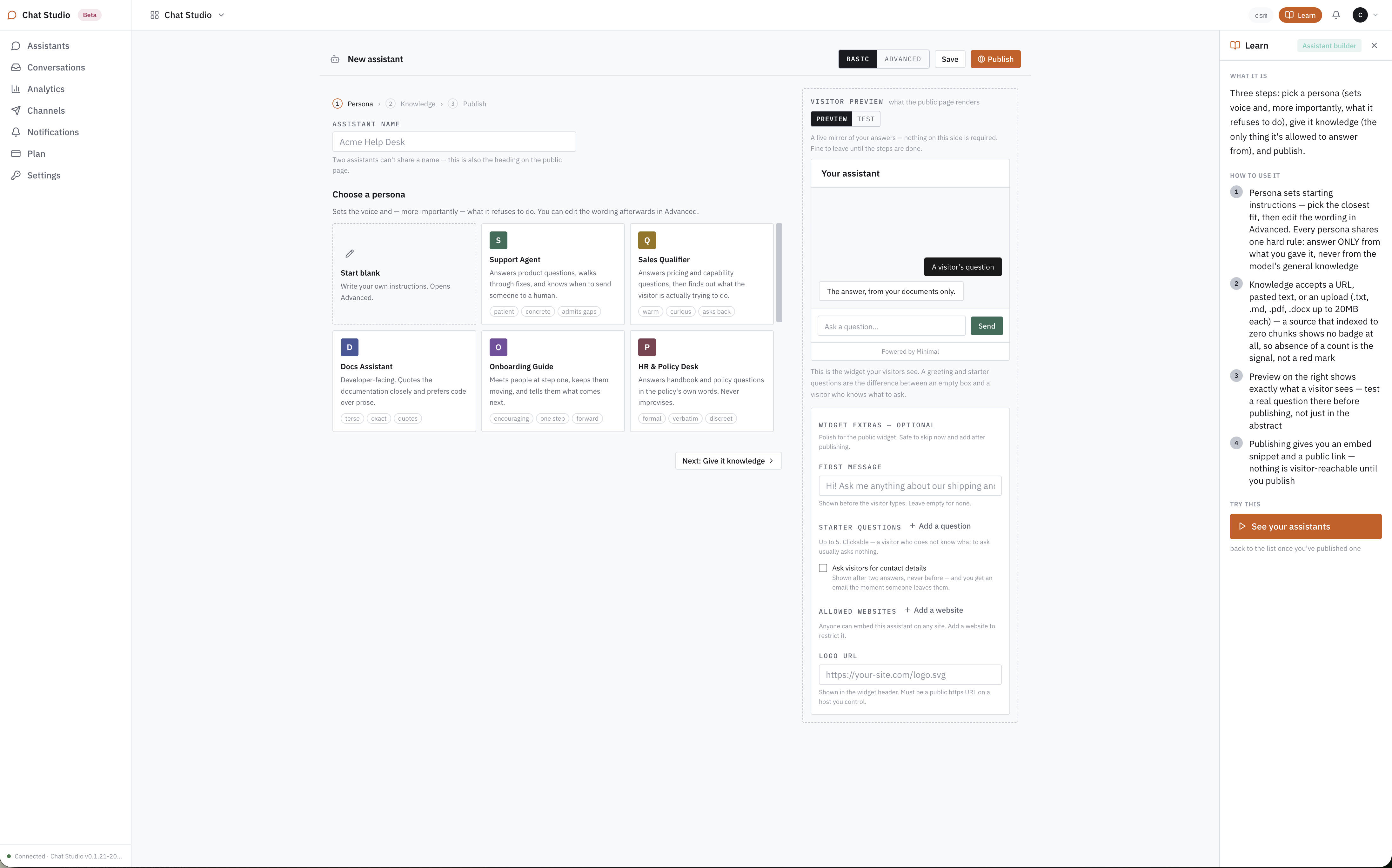
The questions on your site answer themselves.
For the questions visitors ask before they buy or write in — shipping, returns, how it works. Pick a persona, hand it your pages and documents, publish; one line of code puts it on your site. It answers only from what you gave it — never the model’s general knowledge.
- Two channels of knowledge: your own pages and documents today; the data Minimal already serves from December 2026.
- Bring your own key — Claude, OpenAI, Gemini or OpenCode GO — so model usage runs at provider cost.
- Ten personas at launch, Support Agent to HR & Policy Desk. In beta today.
Publishing or selling a dataset is a different job — that’s API Bay, our data marketplace: a file becomes hosted, versioned APIs with a price on access and one key across the bay.
Proof
We run on it ourselves.
Minimal carries Dialer, our own production app. These are its numbers.
Latency is measured server-side, which is the only part any vendor controls.

Grants — Ostrich · Sparrow · Pelican
$30M of Minimal, granted every year.
Whatever you’re building on your data — the agent, the app, the dashboard, the API — the year it takes is on us.
Ninety teams a year. $333,333 in credit, the full suite on your own hardware, twelve months, no invoice at the end.
Sparrow puts $1M of cloud credit behind students and teams under five. Pelican gives the licence to non-profits that qualify, with no cap.
Point it at a database and watch.
Nothing to migrate, nothing to install first. Bring a connection string, or start on the public NYC 911 dataset we host.
Free tier on every product, no card. Hosted, or on your own hardware.
Or taste it first: the NYC 911 endpoint Minimal generated, called from this page. Live rows, no sign-up.
A specialist for every part of your site, live 24/7.
Built from the knowledge you give it, answering visitors around the clock with no one watching it.
Point Chat Studio at your pages and documents — plus, from December 2026, the data Minimal already serves. Pick a persona: support, sales, docs, onboarding, HR and more. Hand it the knowledge. It answers from that, never the model’s general knowledge. Publish. One line puts it on your site.
In beta today. Opens the live product — sign up and test every claim on this page against your own pages.
One assistant, Acme — Onboarding Guide, the whole way.
What you just watched, stage by stage.
- 1 · PersonaOnboarding GuideOne of ten. Sets the voice and, more importantly, what it refuses.
- 2 · Knowledge29 sourcesThe whole site read from one URL. It answers from these and nothing else.
- 3 · Publish<iframe src=…>A public link and a one-line embed. Nothing is visitor-reachable before this.
- 4 · On your siteBlend · onAny page you control. The widget samples the site’s font and colours.
- 5 · A visitor asks≈ $458.71A publishing question, answered from the API Bay page and the docs, arithmetic shown.
One assistant, start to finish
A store’s help desk, built from its shipping page.
Three steps, in the order the studio walks you through them. The example the product ships with: a Support Agent answering shipping and returns questions.
Support Agent: patient, concrete, admits gaps. It answers product questions, walks through fixes, and knows when to send someone to a human. Tone layers on top — friendly & concise, precise & technical, playful — without changing what it refuses.
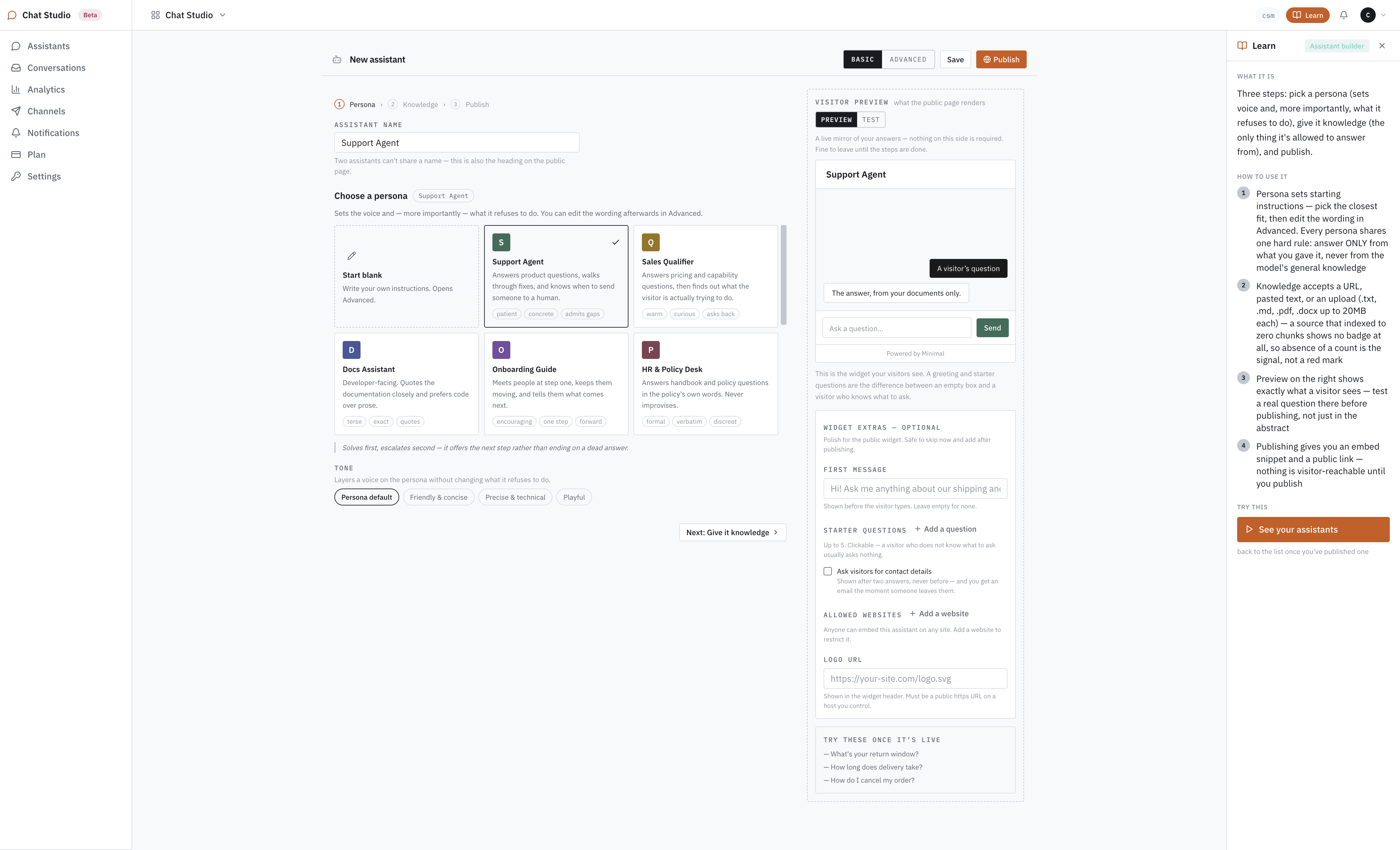
One help page in: paste the URL and Read. Pages give their first 2,000 words; uploads take .txt, .md, .pdf and .docx up to 20MB each; pasted text works too. To read a whole site, start from setup with the site’s address instead of naming pages one at a time.
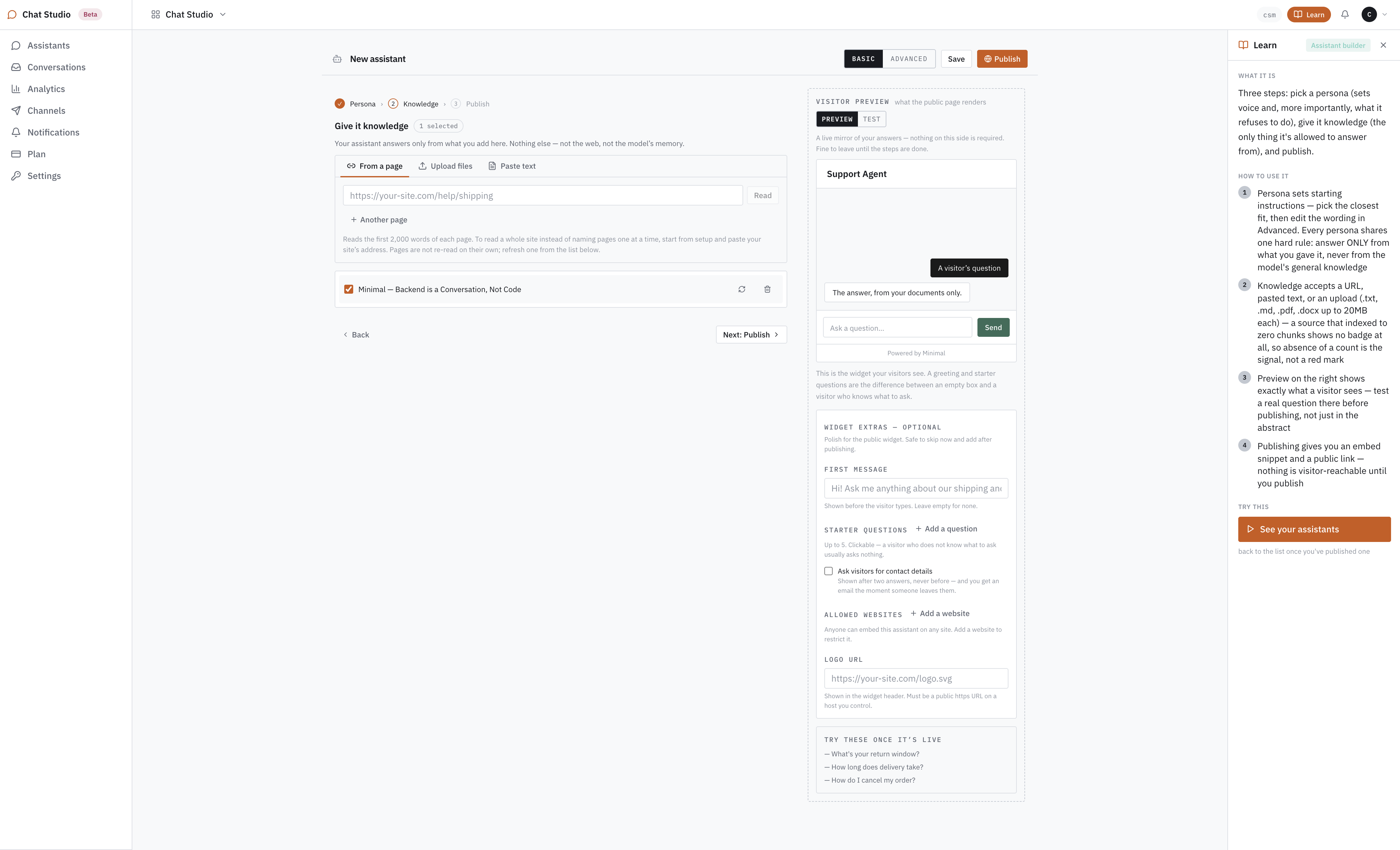
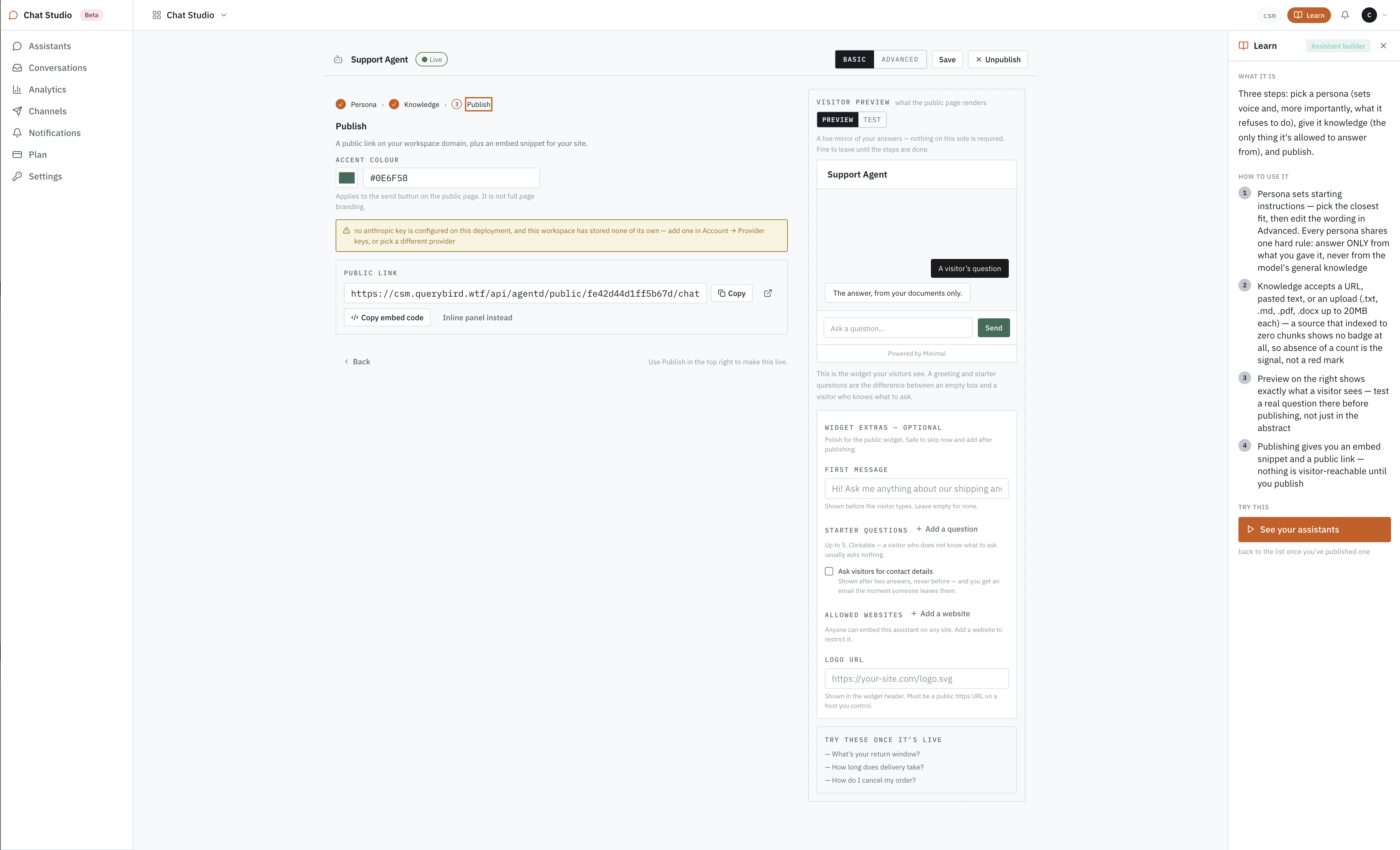
Publishing gives you two things: a public link on your workspace domain, and an embed snippet — one line, on any page you control, whatever it’s built on: WordPress, Shopify, Webflow, or hand-rolled HTML. Nothing is visitor-reachable until you publish. Test a real question in the preview first, not in the abstract.
The assistant at the bottom right of this page was built this way. Ask it something, then read how Chat Studio works.
APIs on your data, without the worries.
Coding, hosting, backups, uptime, discovery and distribution are ours. Pricing and revenue are yours — 0% commission.
Park a dataset — a flat file or a database connection. It becomes versioned REST endpoints and MCP tools, under one key. Set any price from $0.20 per 1,000 requests. Or call what others have parked, from $1 per 1,000.
Opens the live product — the first 100 requests a day on the datasets we host are free, no card.
One dataset, NYC Food Cart Calorie Data, both sides of the bay.
What you just watched, stage by stage. Every number is from the console.
- 1 · Parkdohmh_menustat_historicalA 7.7 MB CSV, 65,219 rows. Parked on a Cove berth; nothing to host.
- 2 · EndpointGET /v1/apibay/…Auto API derives it from the column types: search, filters, paging.
- 3 · Price$0.67 / 100 reqYour number, from the floor up. The meter is separate; commission is zero.
- 4 · Publish/d/dohmh_menustat_historicalFive checks, one press. Live in Discover as v1.0.0; de-list any time.
- 5 · Using dataX-Cost-Per-1K: 6.69Called with one key. The caller’s $0.0067 is the publisher’s $0.0067.
One dataset, both sides of the bay
nyc_water_consumption, from a CSV to a priced call.
Parked by one publisher, listed in Discover, called from the playground. Every number on the three screens is from the console as it runs today.
A 1.5 MB CSV of New York City water bills, 66,432 rows, dropped on the Publish tab. Auto API derived GET /v1/apibay/nyc_water_consumption from the column types; three more datasets from the same publisher sit beside it. All 10.4 MB fits a Cove berth at $5 a month.
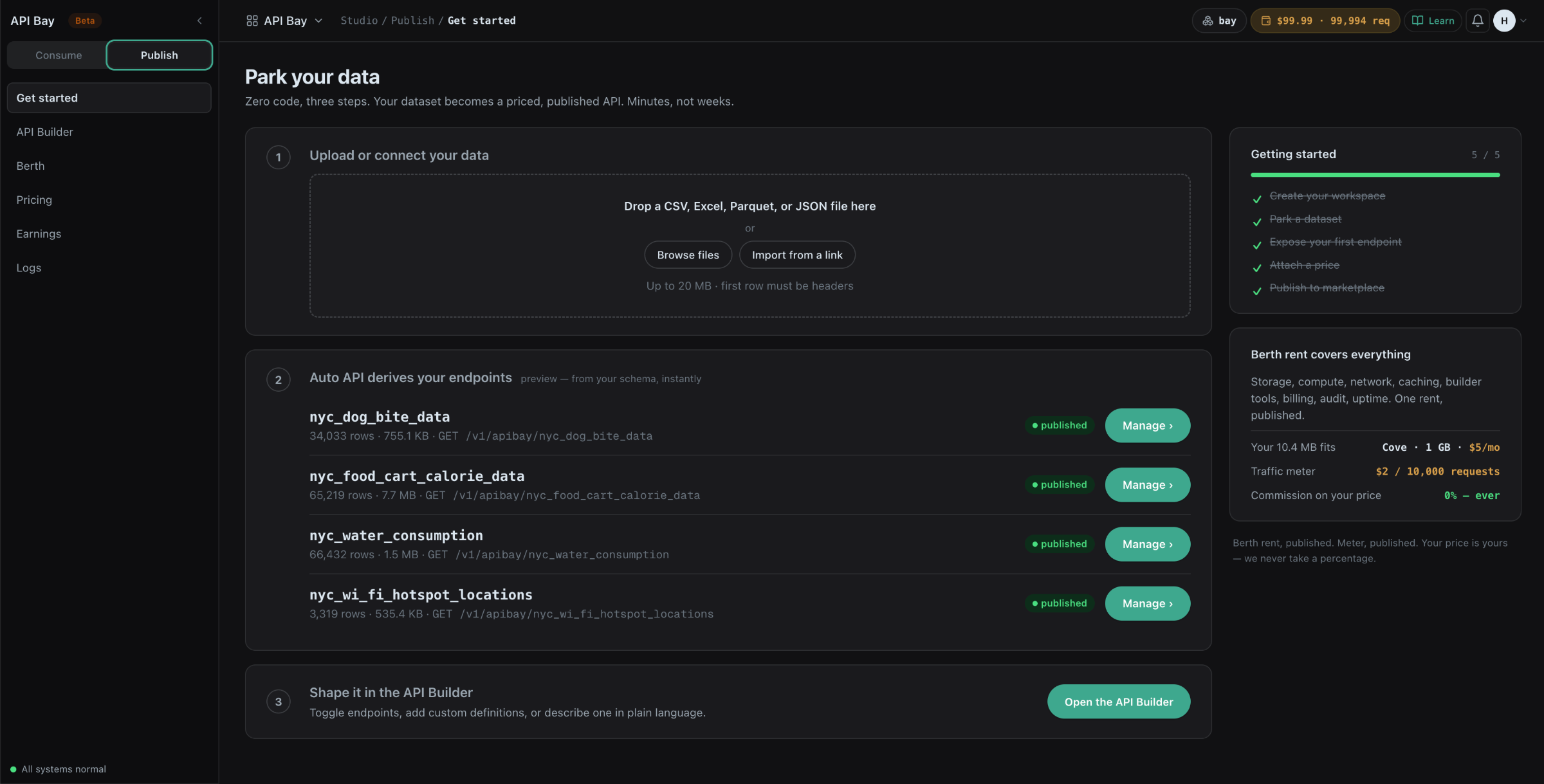
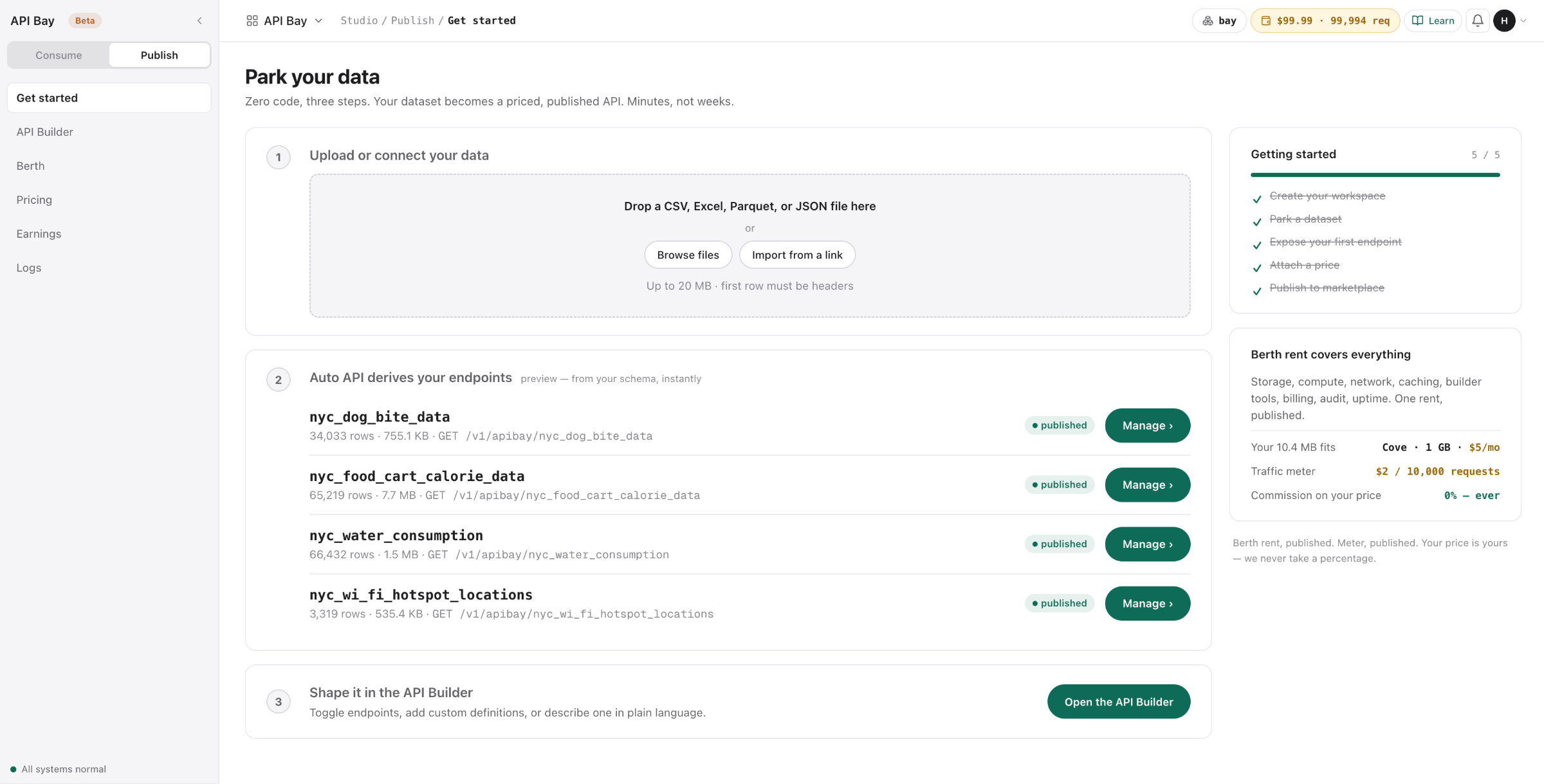
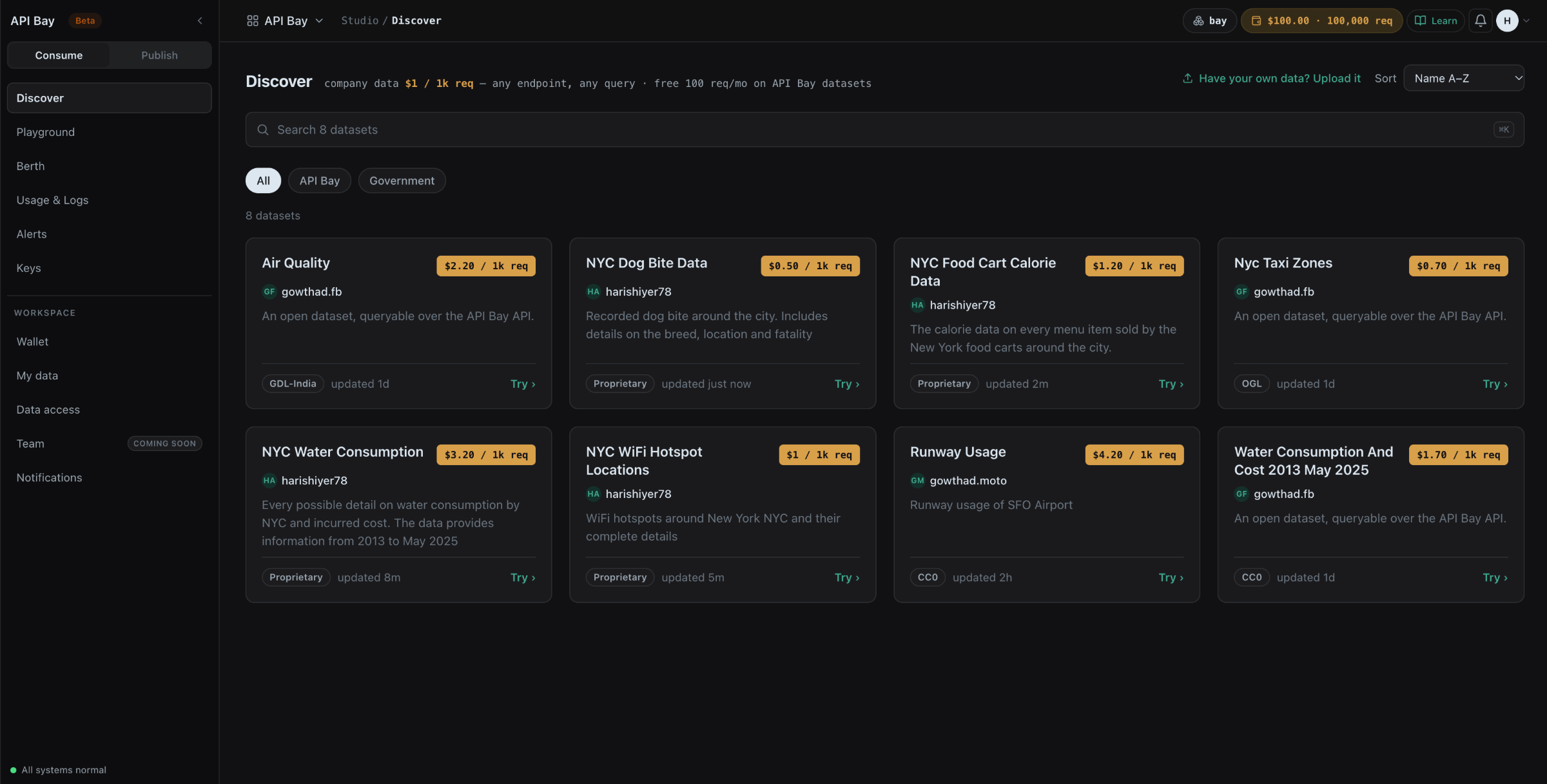
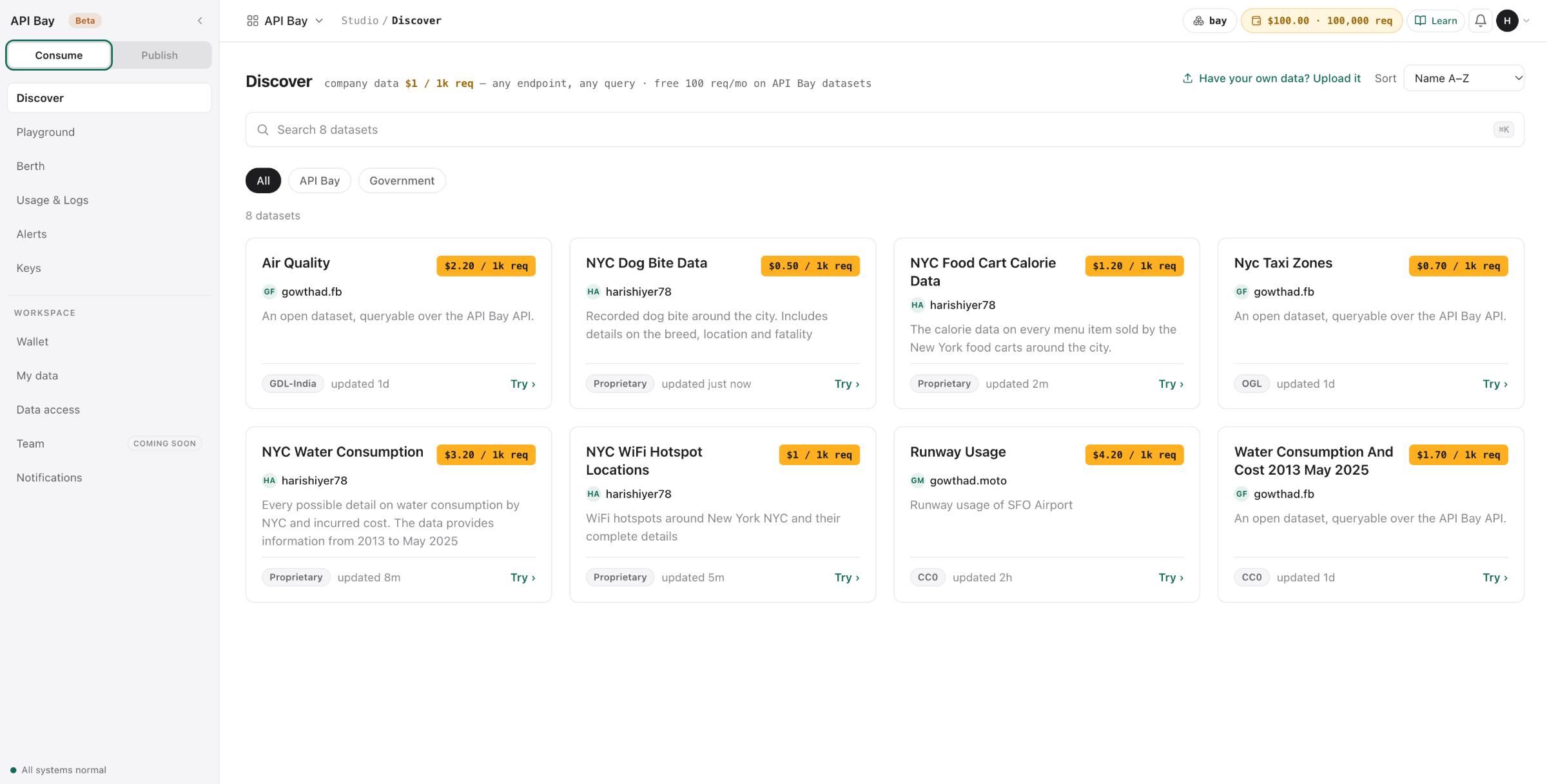
The same dataset in Discover, beside seven others, at the price its publisher set: $3.20 per 1,000 requests. Publisher, licence and freshness sit on the card; Try opens it in the playground.
GET https://api.selectstar.wtf/v1/apibay/nyc_water_consumption, twenty rows a page. 12.4 KB back, HTTP 200 in 828 ms. The headers price the call before you read the body: X-Cost-Per-1K: USD 3.20, this call $0.003, wallet covers 99,994 more.
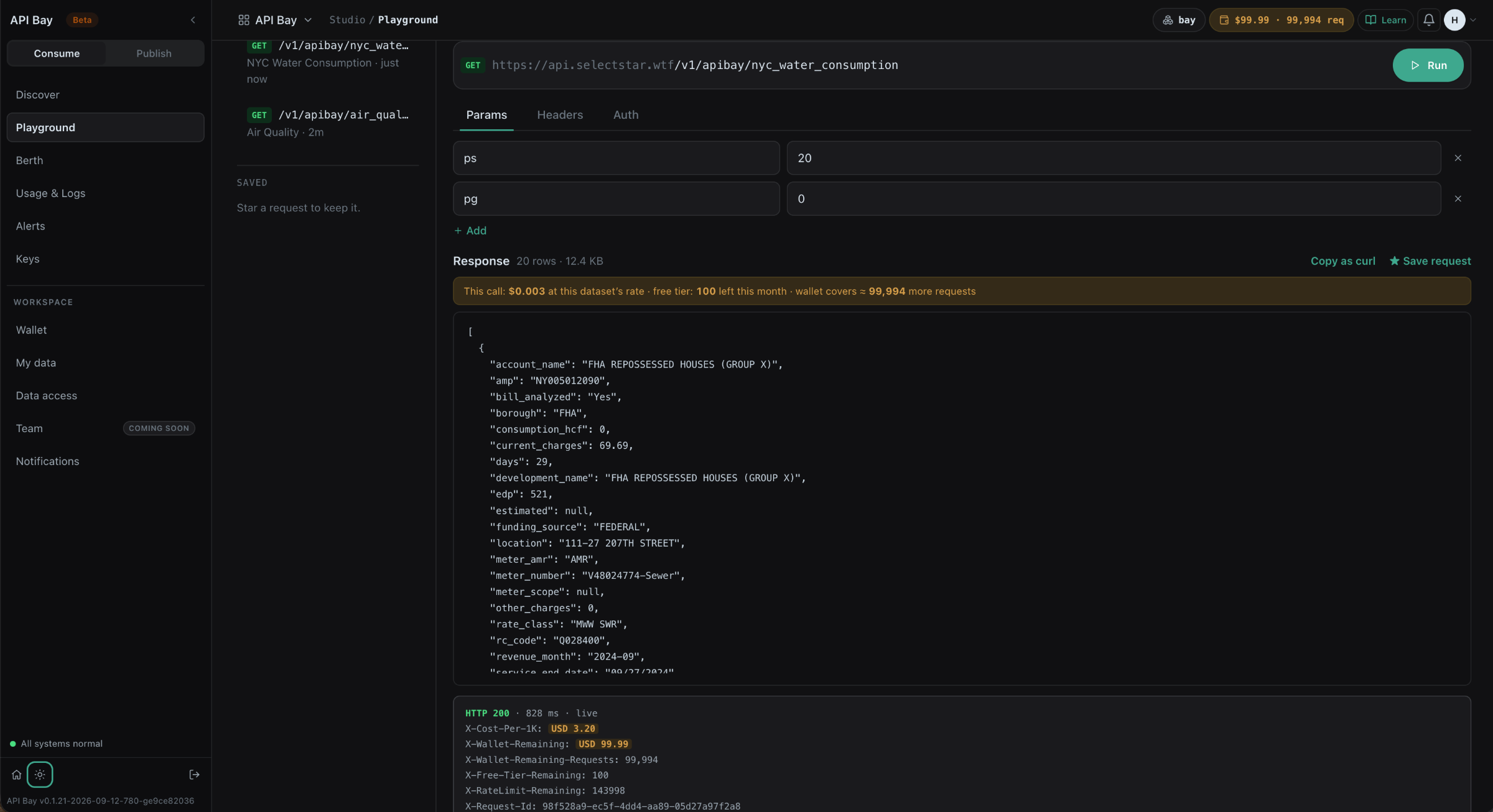
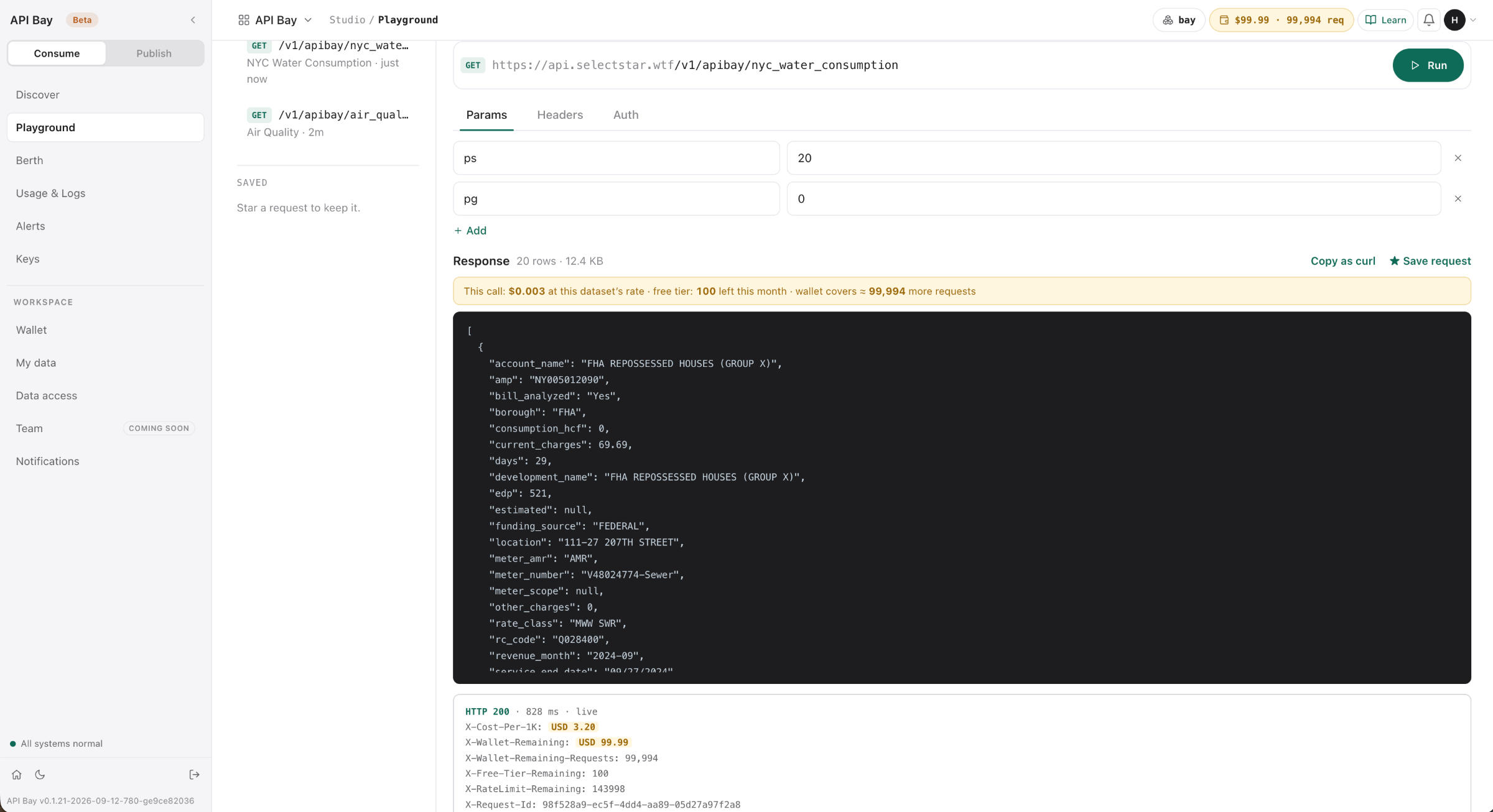
Using data. Bring a key and nothing to host. Credits are loaded before they are spent, so a bill larger than the wallet you loaded cannot happen. Published datasets carry their publisher’s price, shown on the endpoint before you spend a credit.
Publishing. Bring a flat file in any of five formats, or a database connection. Parking starts at $5 a month plus $1 per 5,000 requests served; you set any price from $0.20 per 1,000 and keep 100% of it. The whole rate card.
Apps built on the database you already run.
Desktop, installable PWA and native mobile, from one description.
Point App Studio at Postgres, MySQL, ClickHouse or a CSV — 15 databases and 5 file formats. The schema becomes endpoints. Endpoints become an MCP server. Describe the screens in English — lists, forms, detail views, filters. Desktop, PWA and native mobile ship from that one description.
Opens the live product — sign up and test every claim on this page against your own data.
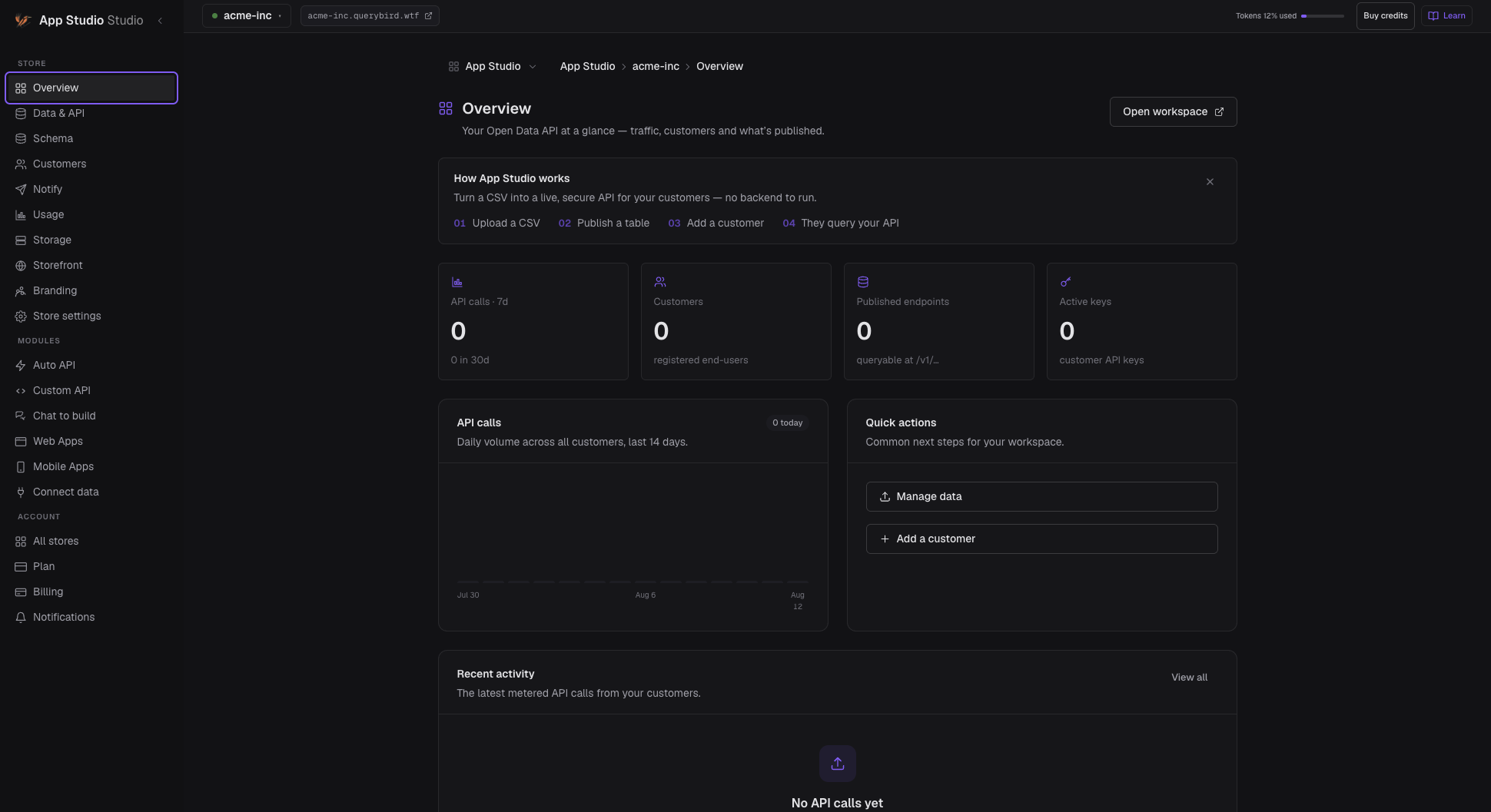
One store, one description
A store’s back office, from its tables.
The store’s database, connected as it is: customers, orders, keys. The screens — call volume, customers, published endpoints, active keys — described in English and built against the live data from the first draft, so what you see on screen is what your team will see.
Desktop. A full browser application for the people who live in it all day, with the density that implies.
Installable PWA. Installs from the browser, opens like an app, works on any machine without a store review.
Native mobile. A real native mobile build for people working away from a desk. How the three surfaces are generated.
Questions in English, answered by your live database.
No extract. No copy. No warehouse in between.
Point Ask Studio at ClickHouse or Postgres. Ask the way you would say it out loud. The question becomes a chart. The chart pins to a dashboard. The dashboard keeps answering against the source as the data moves.
Opens the live product — sign up and test every claim on this page against your own data.
One question, start to finish
Which agency dispatches fastest — and is anyone drifting?
Asked against nyc_911_calls — 36.3M incidents across four agencies, sitting in ClickHouse, exactly where they stay.
Typed the way you would say it out loud. Pick the analyst who should answer — the persona sets the voice the answer comes back in.
The answer comes back charted, with what it read on the record.
Pin the answer and the dashboard assembles around it — the right chart types for the question, not a blank canvas.
Every refresh runs against the source. It reads your live data, so it stays in sync by construction.